Give your agent a memory
that lasts beyond the conversation.

Add VAAS-X to any agent that can add an MCP server: Claude, Cursor, VS Code and others. Your agent can look up what it learned in earlier sessions, save what matters as it works, and record whether it worked. You see and manage all of it, in your own account, at app.vaasx.com.

https://mcp.vaasx.com/mcp

Free to start, no card. Works with any agent or client that supports MCP.

Three steps, about a minute

You do not need to install anything or get a key first.

SIGN IN

Enter your email

Your agent opens a short VAAS-X page. Enter your email to create a free account, or paste an API key if you already have one. Every assistant you connect to this account uses the same account memory (each can also keep a separate named memory). No other account can see it.

USE IT

Carry on as normal

At the start of a task your agent can look up relevant notes from earlier sessions, and as it works it can save short, distilled facts and decisions. Later you can tell it what turned out to work.

One place to see and manage it all

app.vaasx.com is the front end for your whole VAAS-X account: what your agents remember, and what your own code writes through the SDK. Sign in with your email and a code we send you. There is no password to forget.
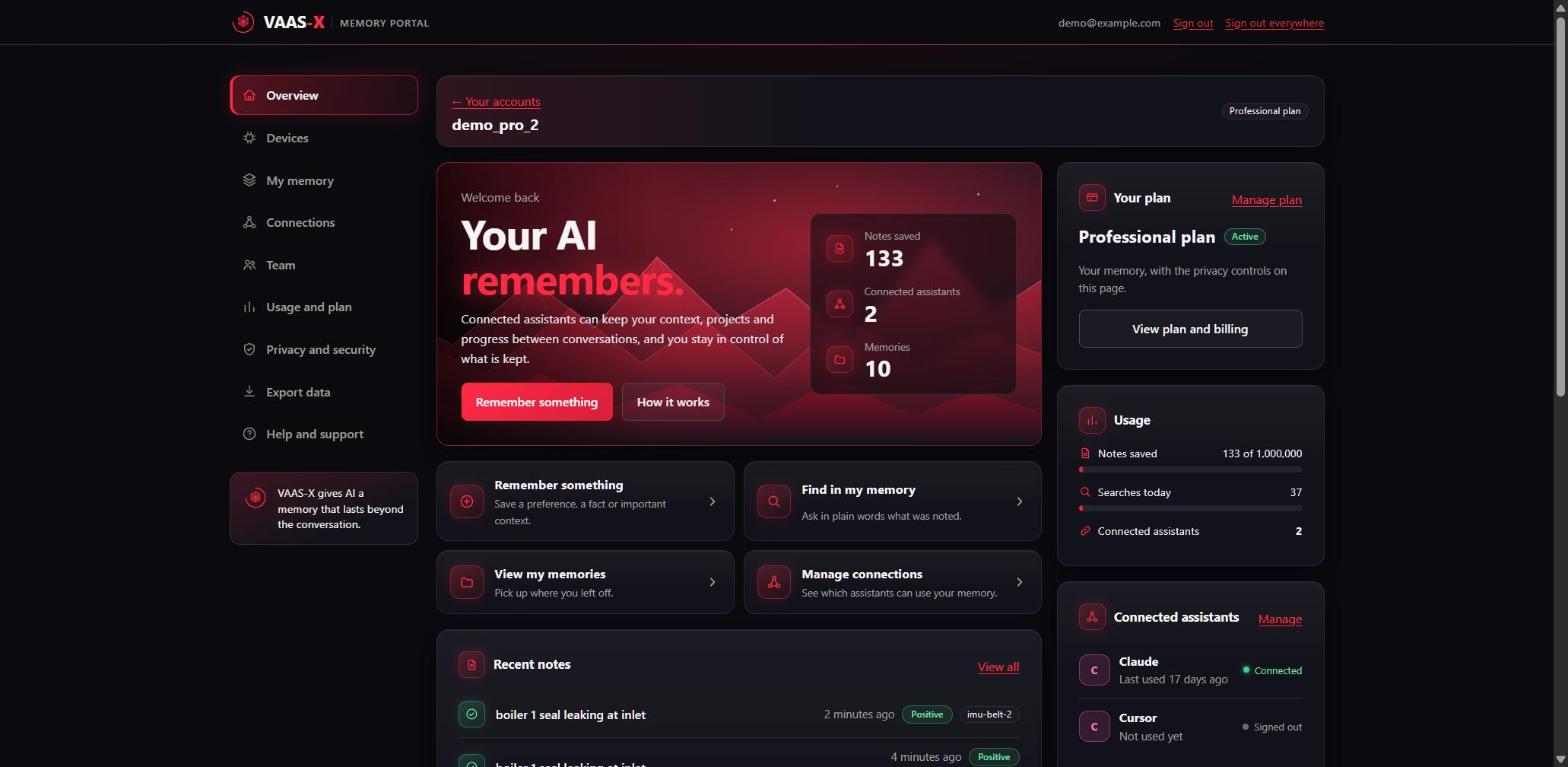
The VAAS-X memory portal overview: notes stored, recent notes, memories and connected assistants
The memory portal, shown with example data.

LOOK

Read every note

Browse, search and filter what your agents and your code have saved, newest first, and see how each note turned out.

ASK

Ask your memory

Type a question and see the notes that match it best, ranked toward what worked. Searches count towards your plan's daily searches.

CORRECT

Add notes, mark what worked

Write a note yourself, or mark an undecided note as worked or not. A mark can change how that note ranks next time.

CONTROL

Delete or take it with you

Delete a memory, download everything in one file, or delete the account. Each of these asks for a fresh emailed code first.

CONNECTIONS

See what is connected

Check which agents are linked to your account and when each was last used. Disconnect one and it has to sign in again.

YOUR CALL

Nothing is hidden

The portal never shows your API key and never sends it to the page. Notes belong to your account and are not visible to anyone else's.

Open it now. Sign in with your email: we send you a code, so there is no password to remember. Your agent keeps its memory whether or not you ever open the app; the app is where you see it and look after it.

Using the SDK, or looking after machines?

The same account, the same portal. Whatever your code, devices or robots write with the vaas-x SDK shows up there too. Each device keeps its own memory, and the Devices section covers the whole fleet.

DEVICES

Every device at a glance

See when each device last wrote a note, label devices by site and kind, and ask one question across several devices at once.

ALERTS

Know when one goes quiet

Choose how long a device may be silent before you get an email, per device if you like. It tells you a device has stopped sending, not that it is faulty.

TEAM

Share it with your engineers

Invite colleagues as engineers or viewers by email. Each person signs in as themselves, and nobody on the team is ever shown the API key.

Writing to a memory from code is done with the vaas-x SDK and Bootstrap. The portal is where you look after what they write.

Straight answers

Is it free?

You can start on the Free plan: one device, 10,000 notes and 500 searches a day, no card. Personal is £9.99 a month: upgrade from inside the app whenever you like, and cancel the same way. Developer and Professional plans are on the pricing page.

Who can see my notes?

Only you, and anyone you invite to your team, through your own account. Every assistant you connect to the account shares its memory; no other account can see it. Read the privacy policy for the detail.

Who runs VAAS-X?

VAAS-X Ltd, a Scottish company (SC873624). Questions about your account or data: support@vaasx.com.

Where is my data held?

On VAAS-X's own servers in London (AWS eu-west-2). We do not sell your data and do not use it to train models for other customers.

Does it write my agent's answers?

No. VAAS-X stores notes and finds the ones that matter, weighted toward what worked before. Your agent still does the thinking.

What do I do if I change my mind?

Delete a memory, or the whole account, from the portal, or disconnect the connector in your agent. You can download your data first.